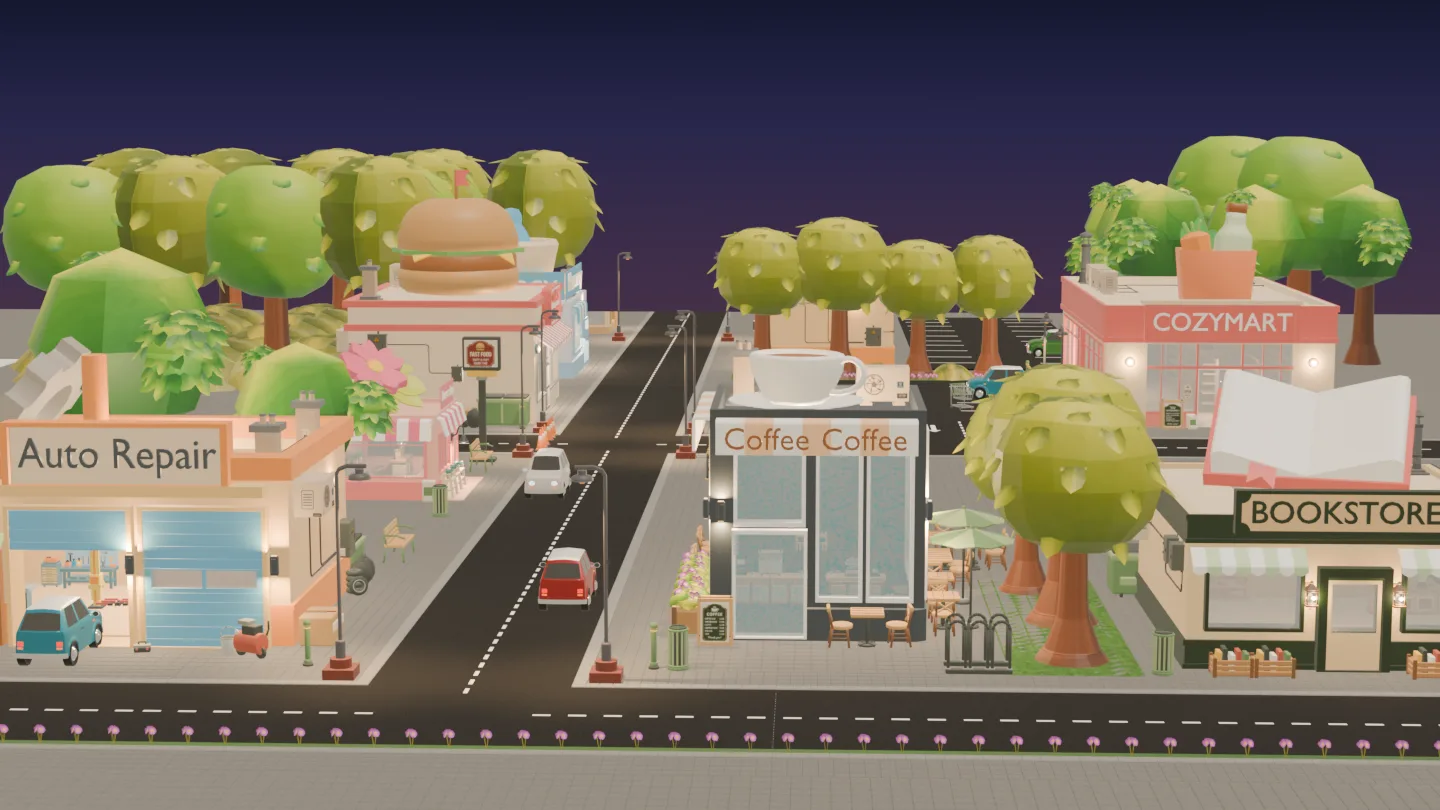
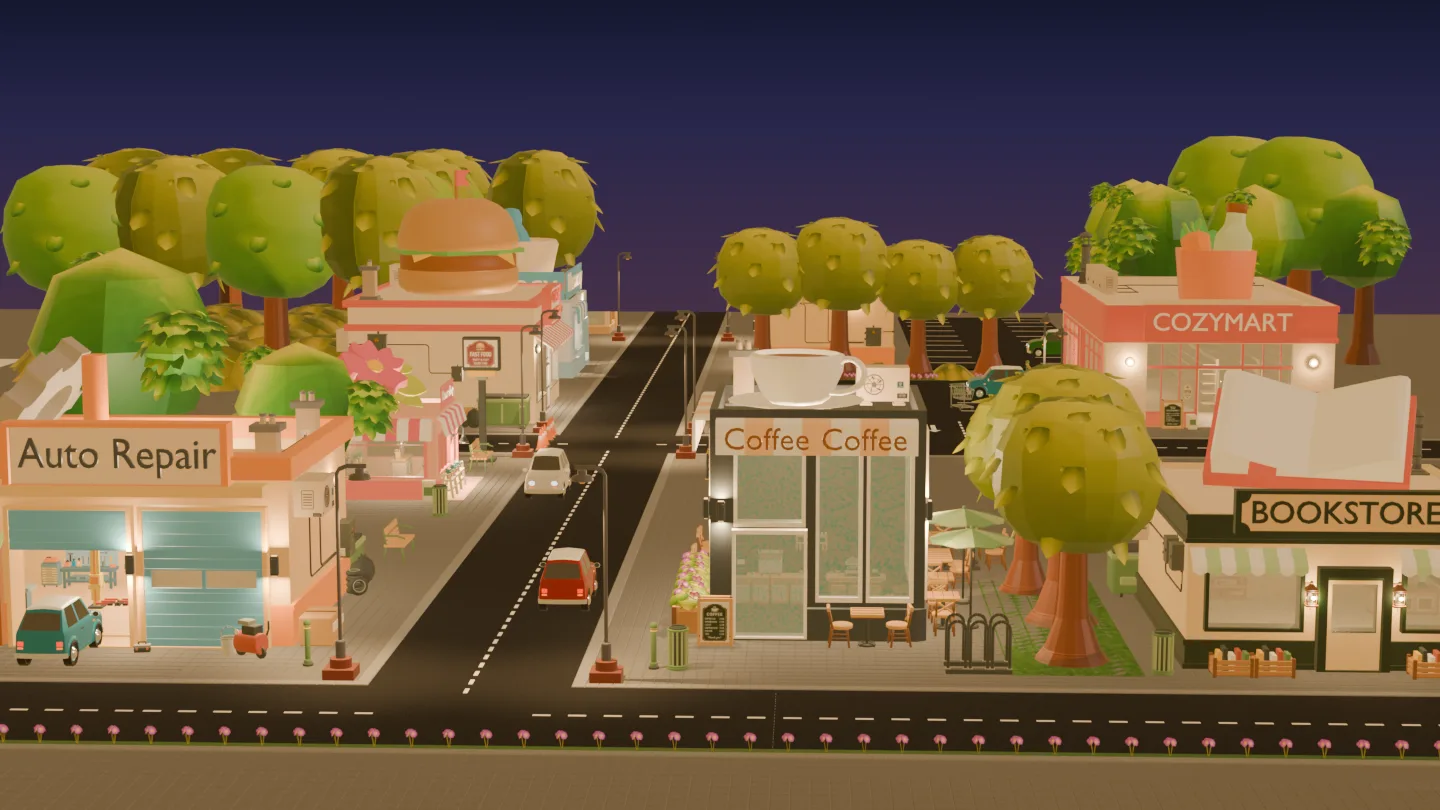
Stylized Cozy Town commercial district in daylight.
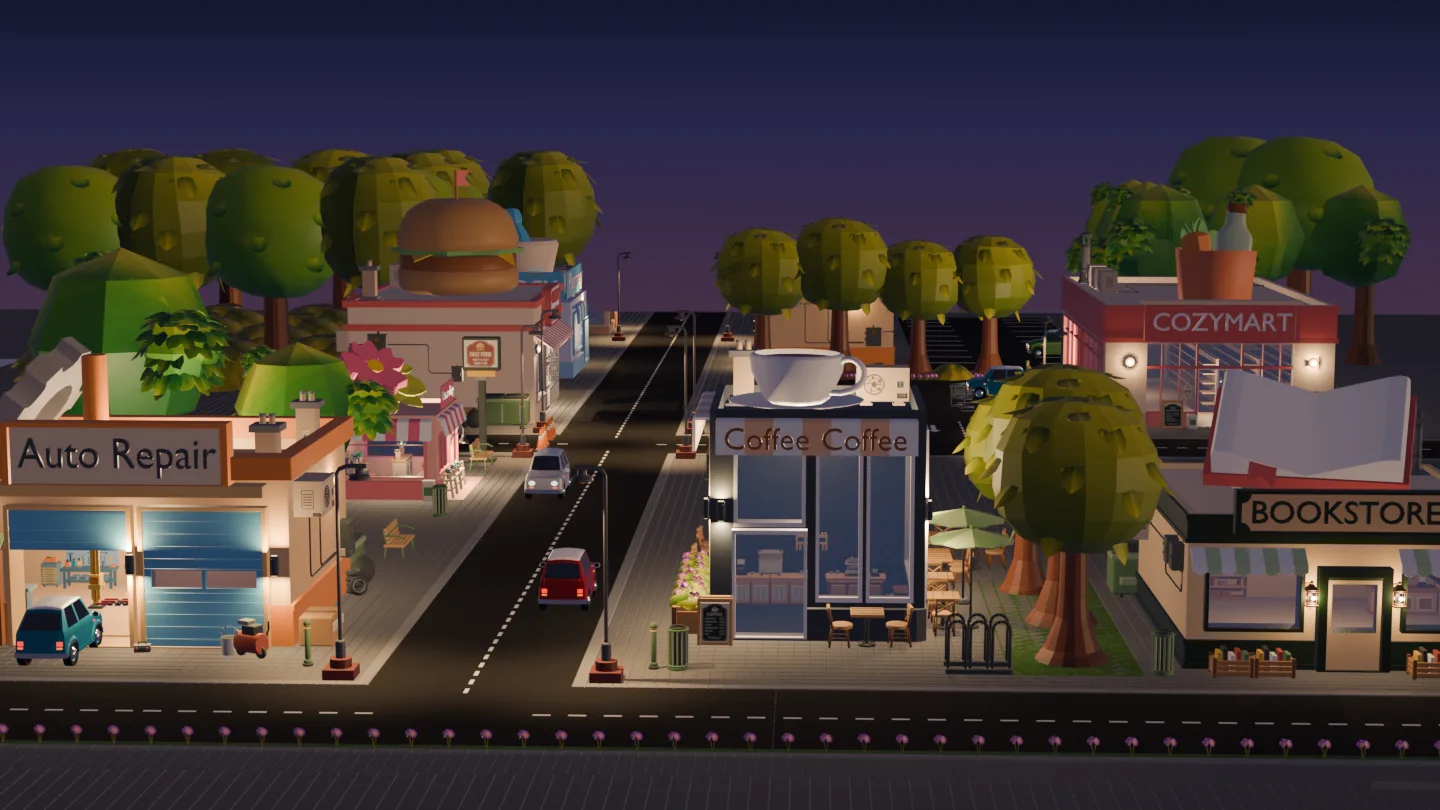
Stylized Cozy Town commercial district at Golden Hour.
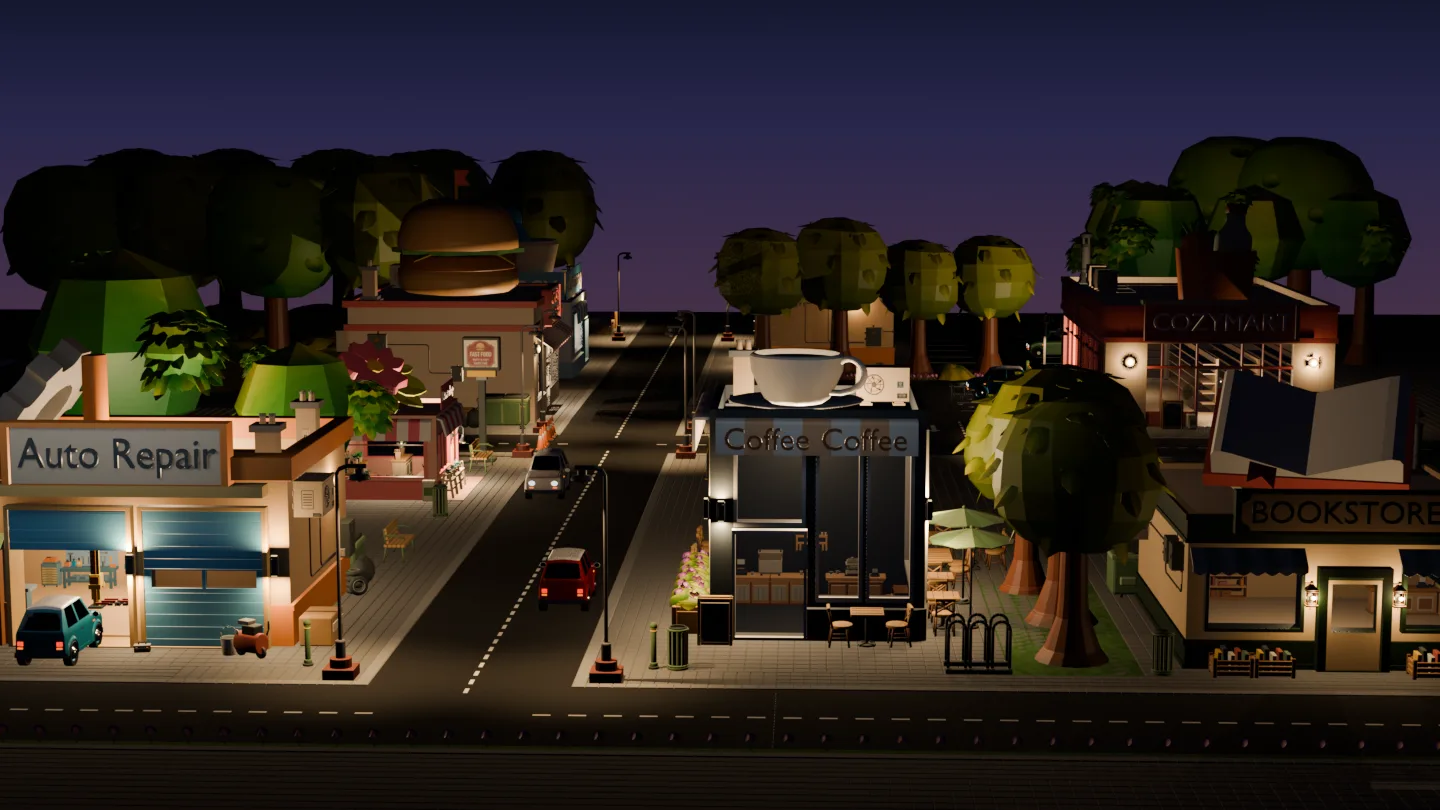
The Day-to-Night district is a presentation scene. Roads and sidewalks shown are not included.

Stylized Commercial Buildings & Props

Build a cozy commercial district faster.

Eight stylized commercial buildings, complete with the props and details to build a scene of your own.

  • 190 Blender Collection Assets
  • 8 commercial building designs
  • Verified in Blender 4.5.4 LTS

Made for cozy shopping streets

Eight shops, plus the details that bring the block to life.

Eight different shops

Auto Repair, Bakery, Bookstore, Coffee Shop, Fast Food, Flower Shop, Pharmacy and Supermarket.

Props and finishing details

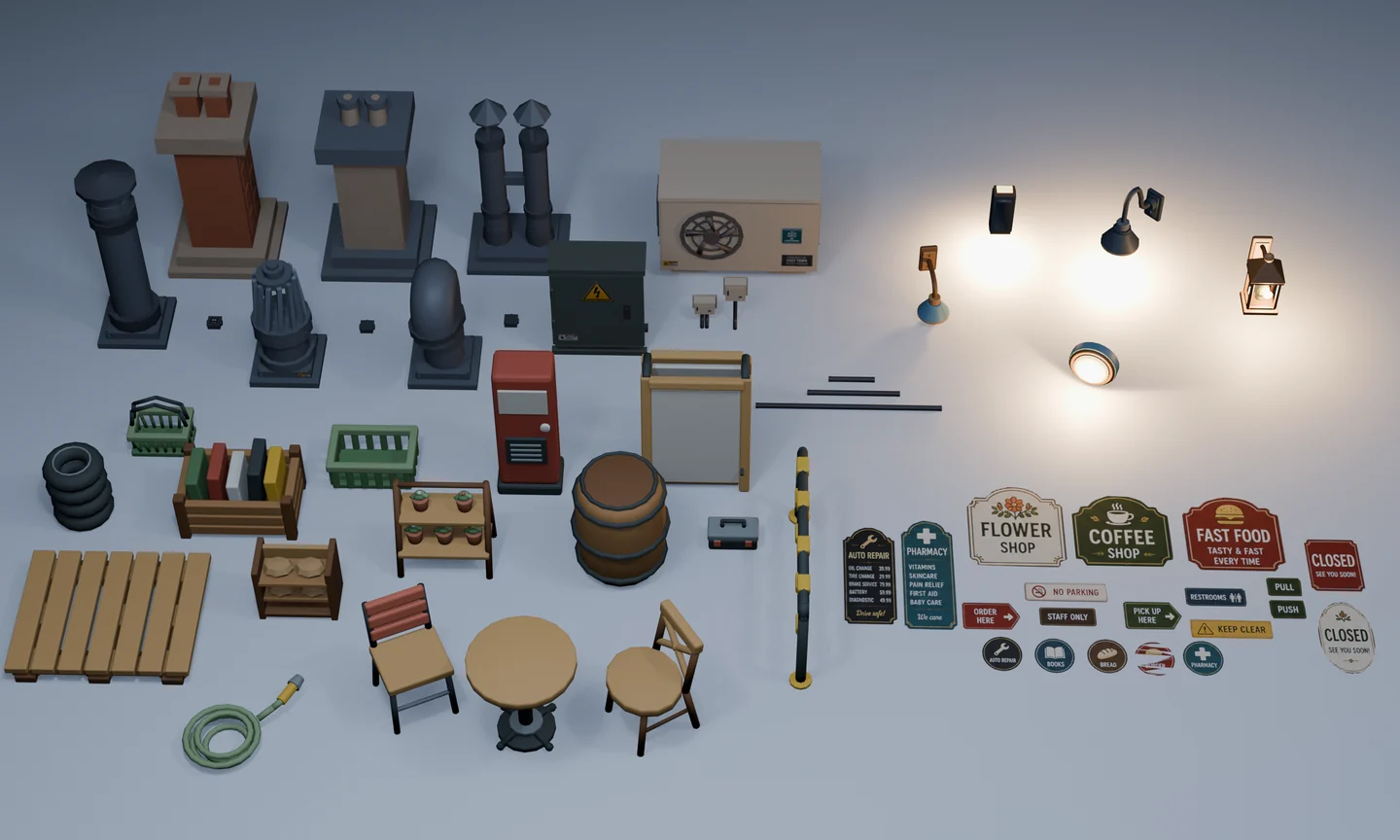
Add rooftop parts, conduit, lights, exterior props, decals and stylized fake interior pieces.

Files you can edit

Use the included Blender files and Asset Library, or work with FBX, OBJ with MTL and shared PNG textures.
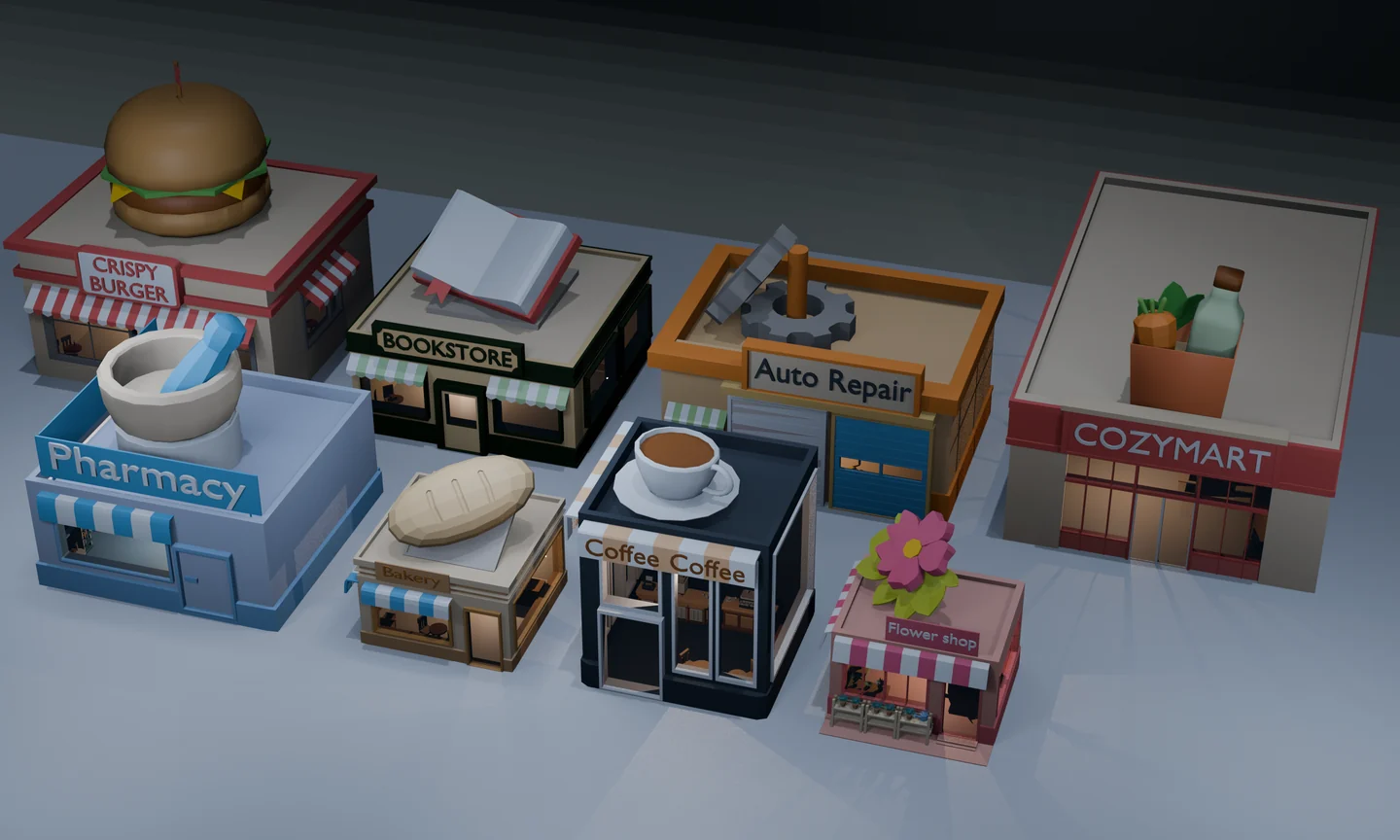
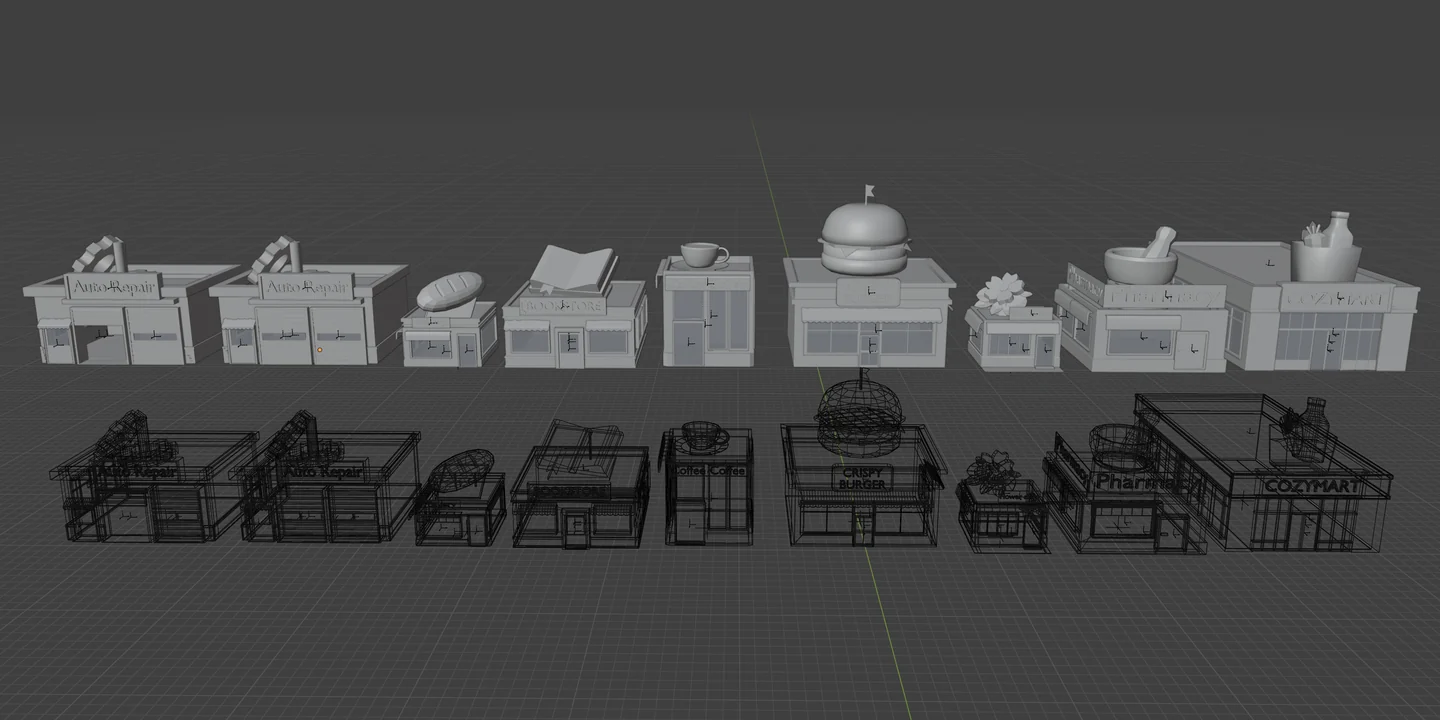
Overview of the eight Cozy Town commercial building designs.
Eight commercial building designs
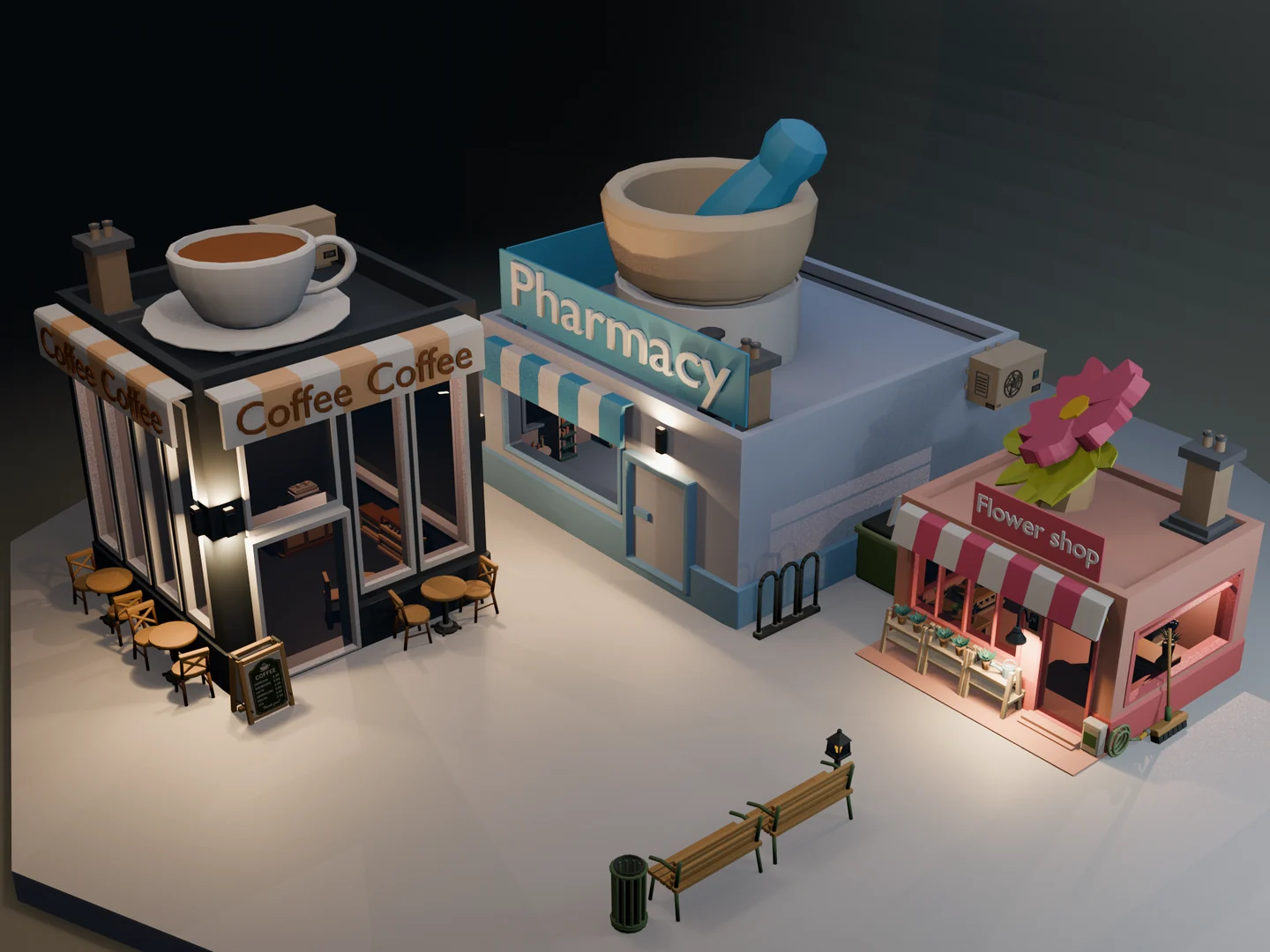
Coffee Shop, Pharmacy and Flower Shop buildings shown with included exterior props.
See buildings and props used together
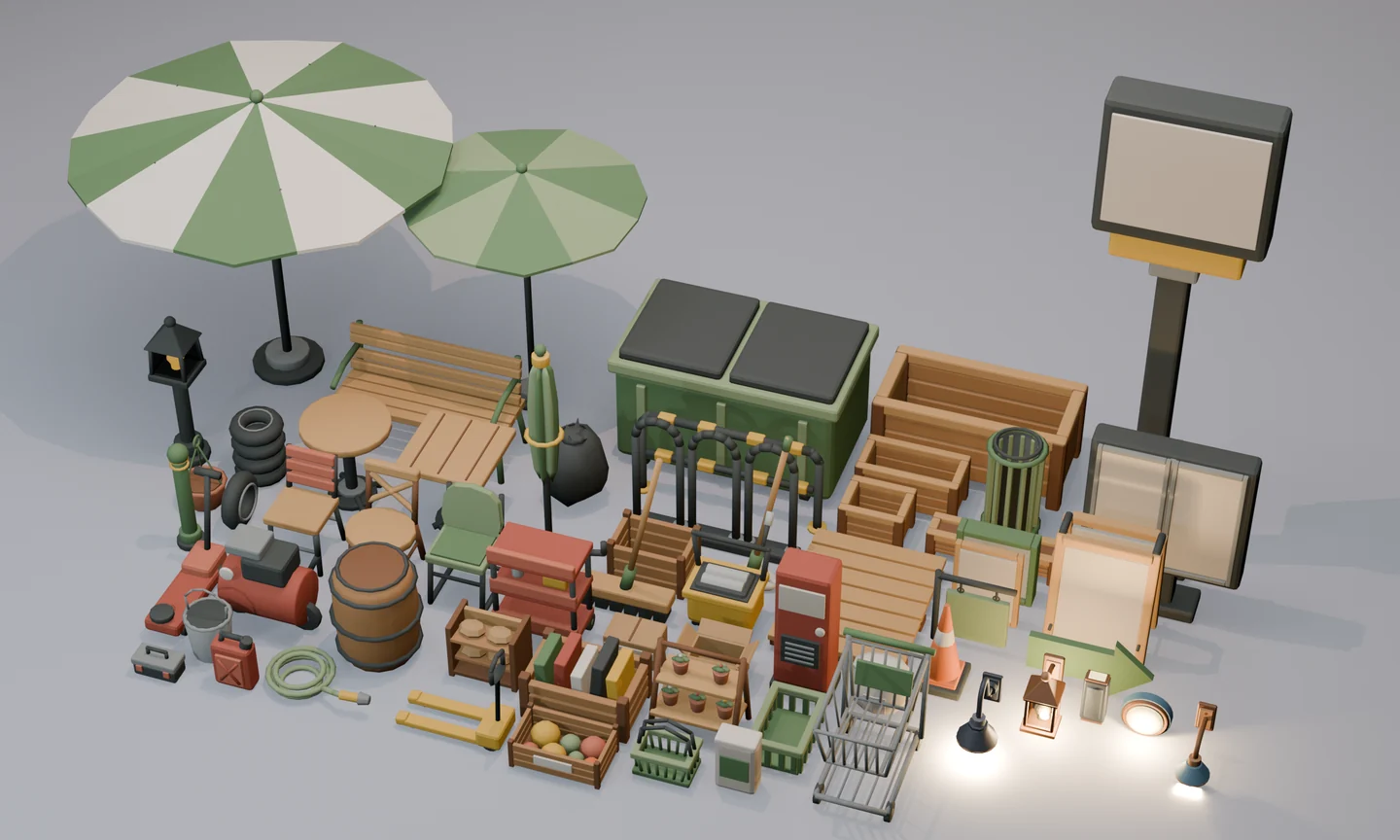
Broad collection of included exterior props, furniture, street details, containers, signs and lights.
Exterior props and street details
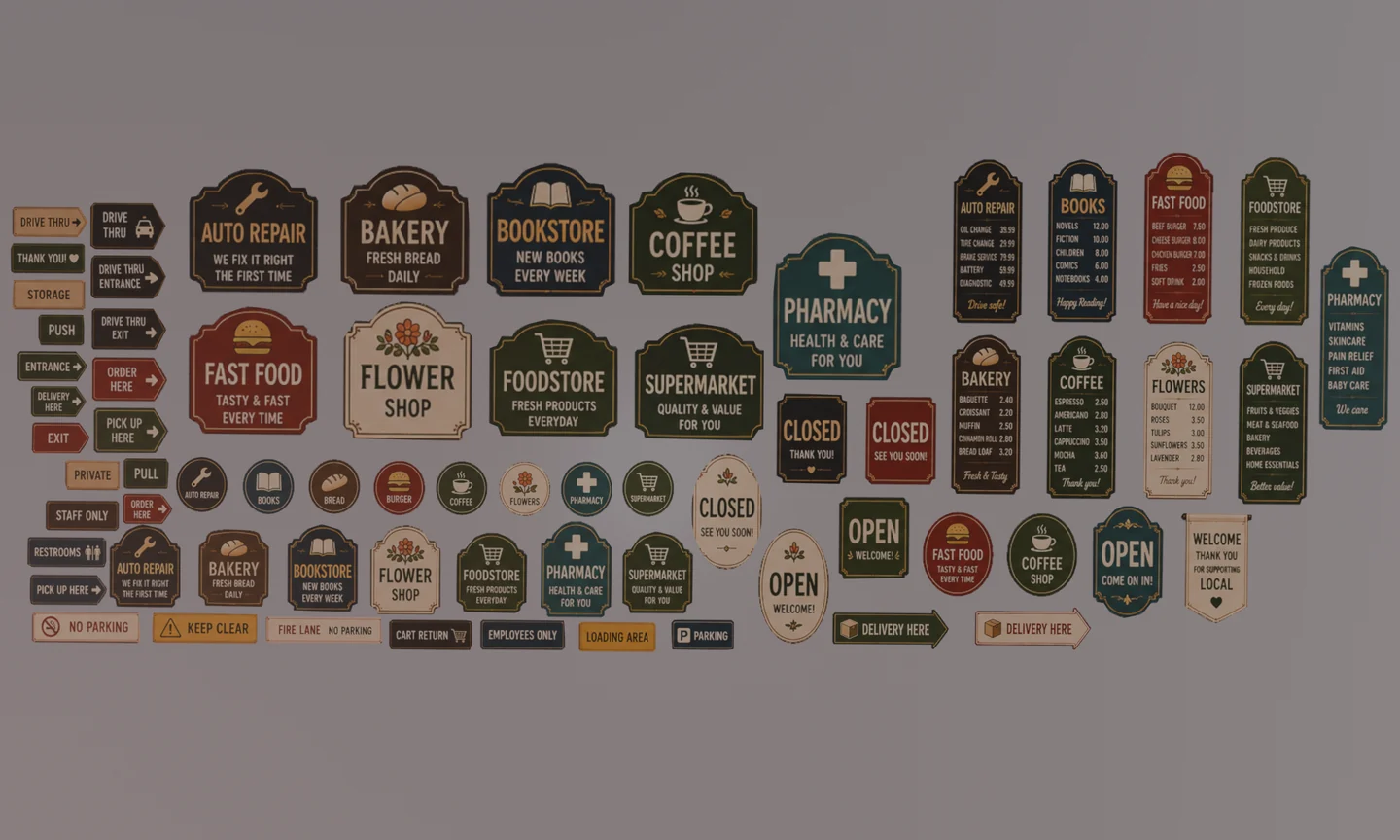
Collection of included shop logos, menus, directional signs and other decals.
Shop logos, menus, signs and decals
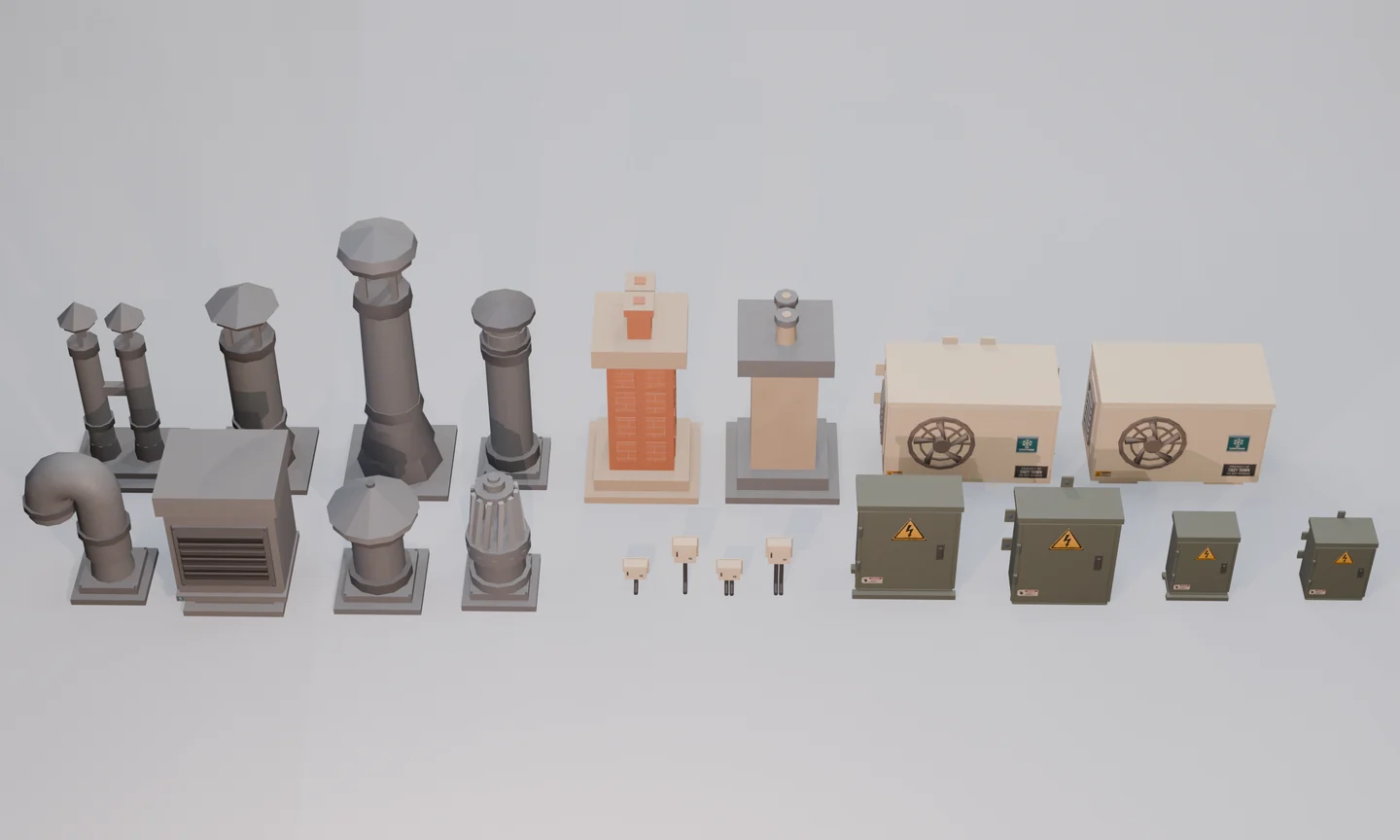
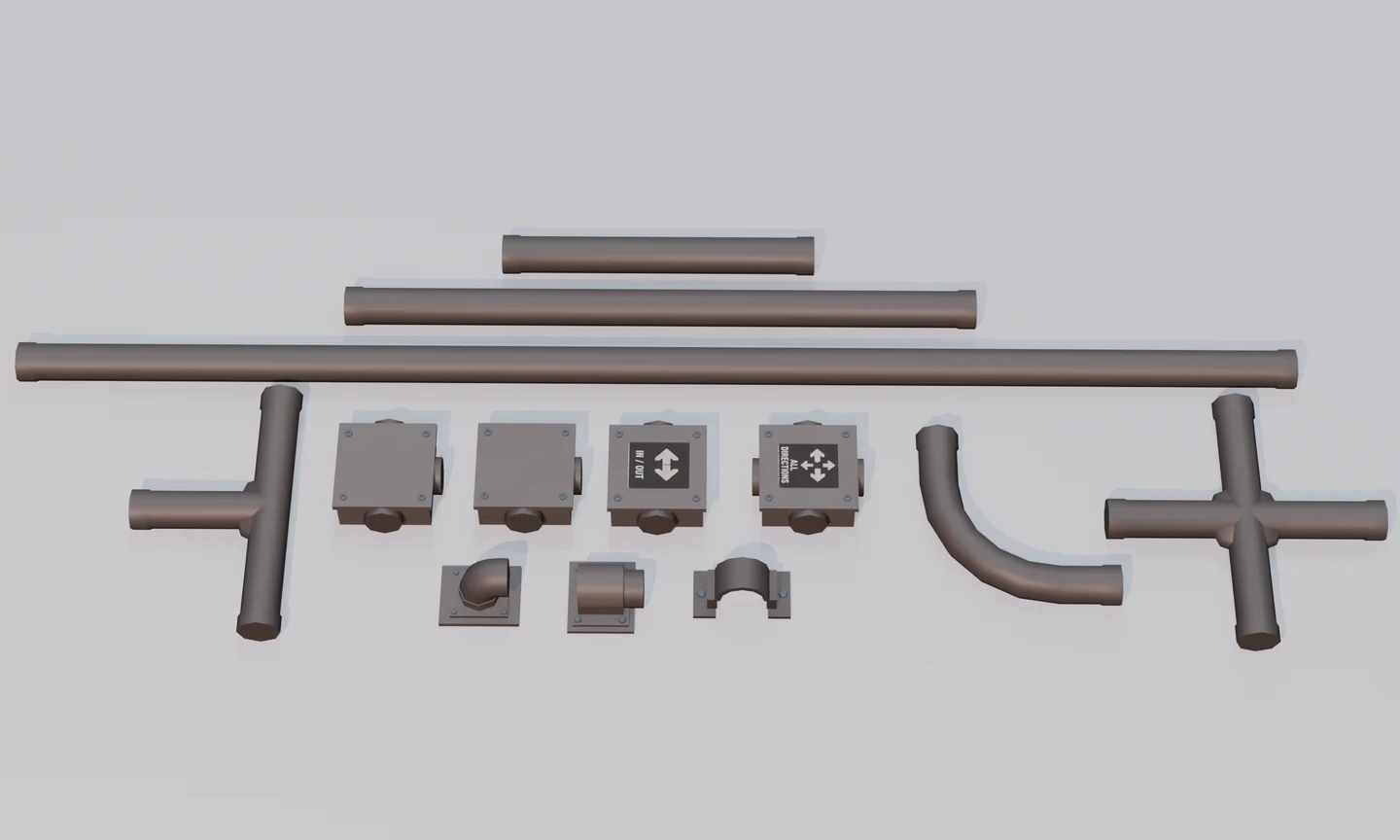
Included rooftop vents, chimneys, air-conditioning units and electrical boxes. Included straight, elbow, junction and wall-entry conduit elements.
Rooftop and conduit systems
Technical comparison showing all eight commercial buildings in solid and wireframe views inside Blender.
All eight buildings: solid and wireframe

Included in the pack

Everything you need to start a stylized shopping street.

  • 190 Blender Collection Assets
  • Eight commercial building designs
  • Commercial, exterior, rooftop and conduit elements
  • Stylized Fake Interior Elements and decals
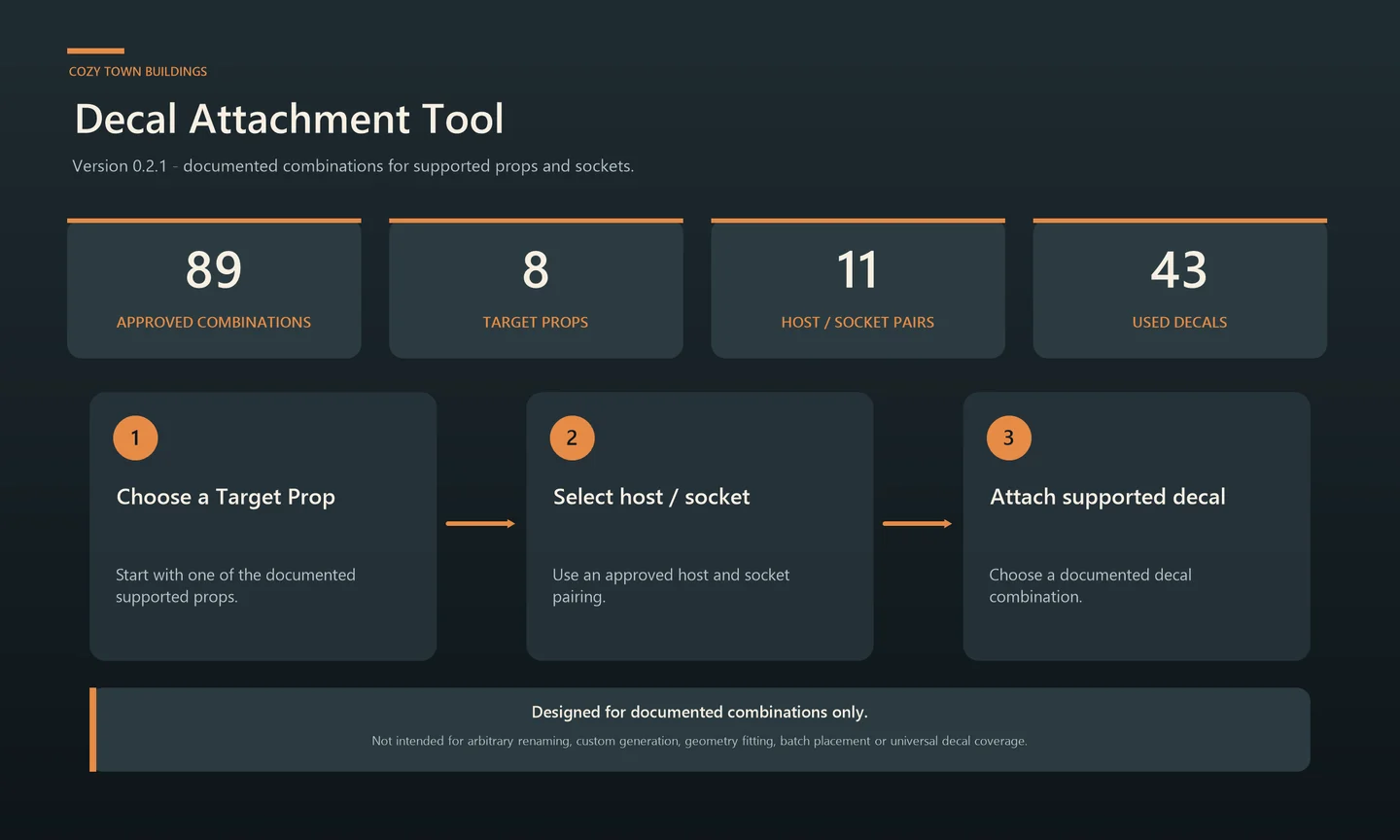
  • Decal Attachment Tool version 0.2.1
  • README, User Guide and formats / compatibility documentation
Read the pre-purchase guide

Pick your starting point

Start clean or start with selected details in place.

Both options use the same building designs. Choose how much arranging you want to do in Blender.
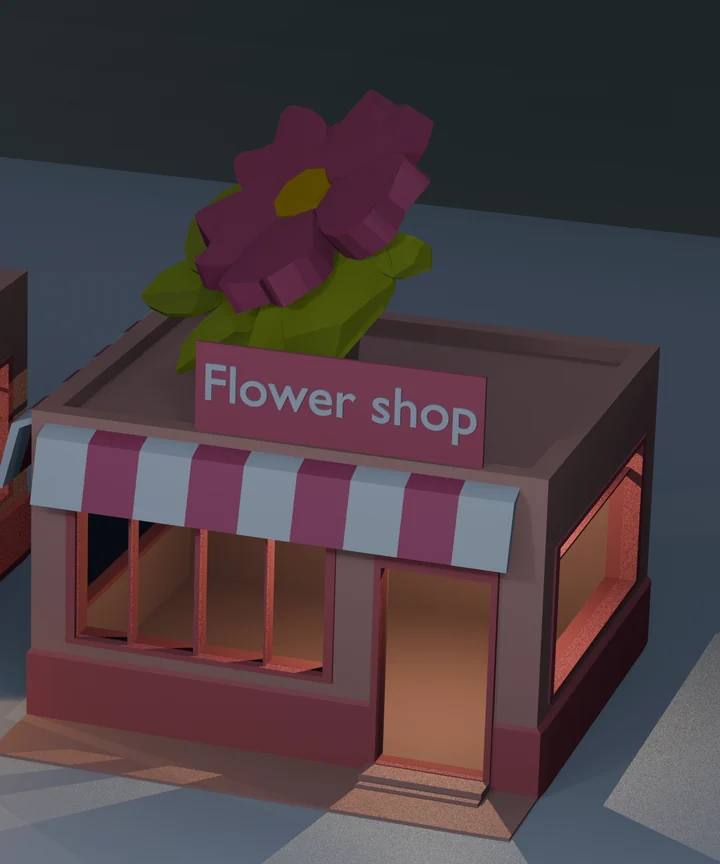
Plain Plain Flower Shop building with a clean roof and no pre-arranged exterior detail set.

A clean, editable building base

Start with the building and arrange rooftop, conduit and wall-light details yourself.
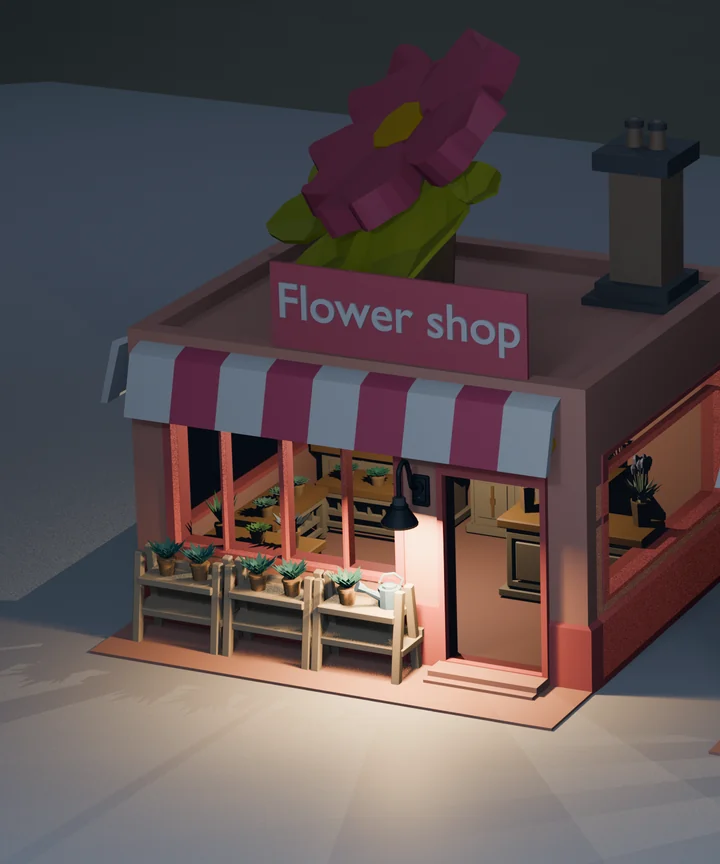
Ready Ready Flower Shop building with selected rooftop, conduit, wall-light and exterior details already arranged.

The same building, with details arranged

Selected rooftop parts, conduit and wall lights are already placed in nine Asset Library Collection Assets plus FBX and OBJ variants.

Ready is not a separate standalone .blend file, a complete scene or an engine-ready prefab. Check the formats guide before choosing your starting point.

Find assets quickly

Browse the pack in Blender’s Asset Browser.

Browse the included Collection Assets in Blender, or open the standalone files and interchange formats listed in the guide.
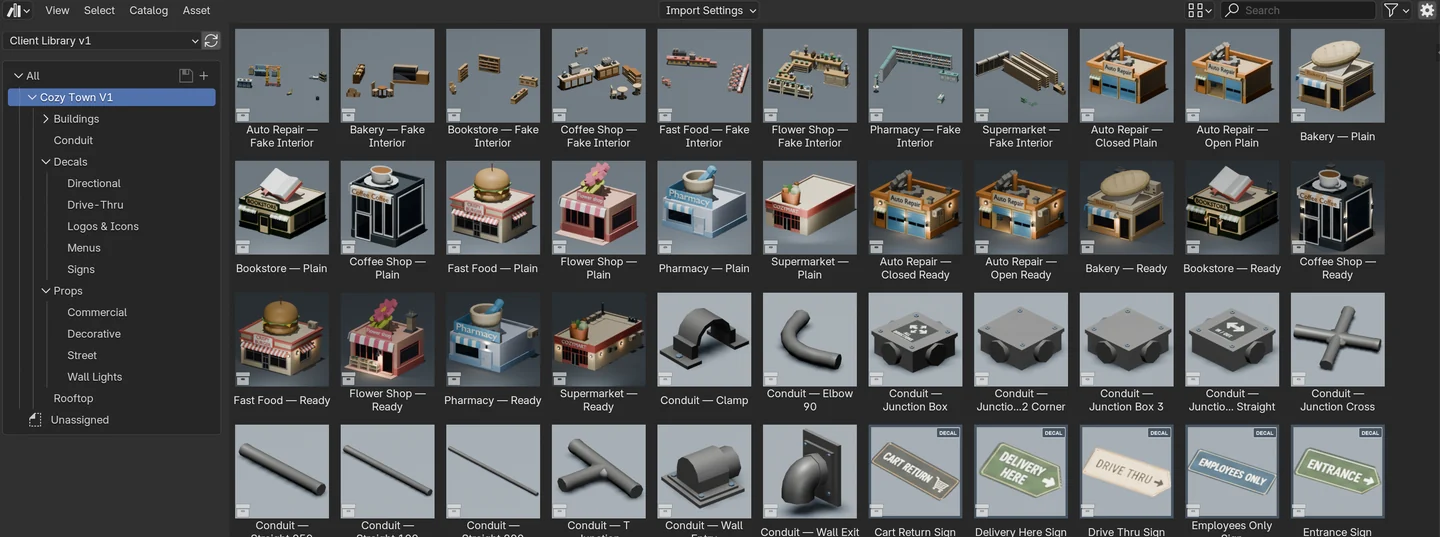
Real Blender Asset Browser showing Cozy Town buildings, props, conduit elements and decals in the Asset Library.

See what you get

Buildings, props and practical Blender tools.

Each image answers a different question about what is included and how you can use it.
Coffee Shop, Pharmacy and Flower Shop buildings arranged together with included exterior props.
Build a small shopping sceneSee several buildings and exterior props used together.
Overview of included rooftop parts, conduit, lights, exterior props and shop decals.
Add the supporting detailsSee rooftop parts, conduit, lights, outdoor props and decals.
Decal Attachment Tool infographic showing its documented three-step workflow and supported combinations.
Place supported decalsThe included tool covers documented prop, socket and decal combinations.
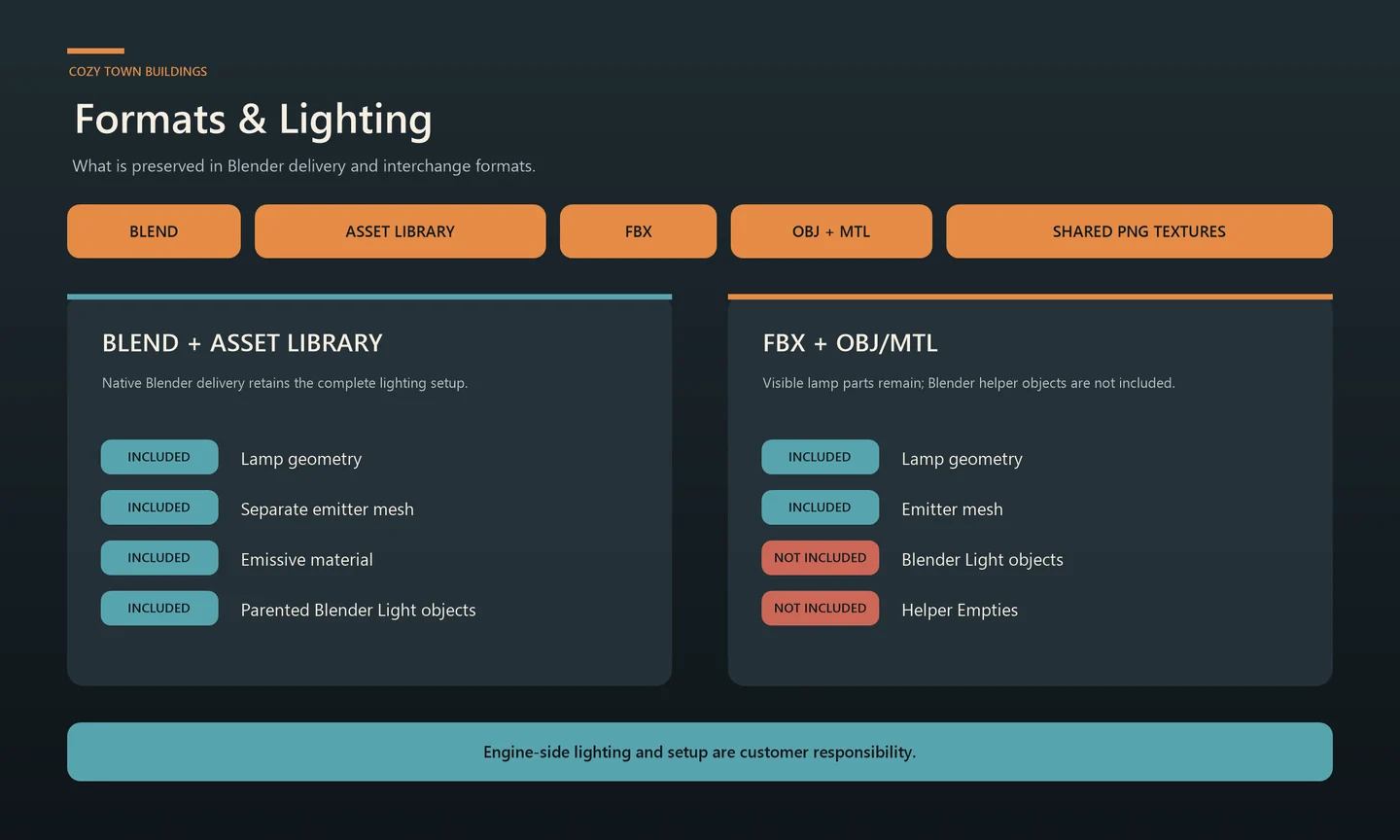
Formats and lighting infographic comparing Blender delivery with FBX and OBJ files.
Choose the right file formatSee which lighting parts stay in Blender and which remain in FBX or OBJ.

Before you buy

Check that the pack fits your project.

You get editable buildings and props for Blender—not a complete city or a ready-made game-engine scene.

Included

Commercial buildings, exterior and rooftop props, conduit elements, Stylized Fake Interior Elements, decals, documented Plain and Ready variants, and the listed delivery formats.

Not included

  • Roads, sidewalks or a complete street-infrastructure system
  • Dedicated collision meshes
  • Godot, Unity or Unreal prefabs or engine-side setup
  • Complete or playable interiors
  • Future content not named for this version

Pre-purchase guides

Check the files and limits before you buy.

Available marketplaces

Buy where you prefer.

Prices, availability and marketplace-specific terms are shown at each destination.

Prices, availability and terms are set by each marketplace.